
5 days to a neon racing game I described more than I programmed
How to build a game with AI and three.js that will work in the browser.

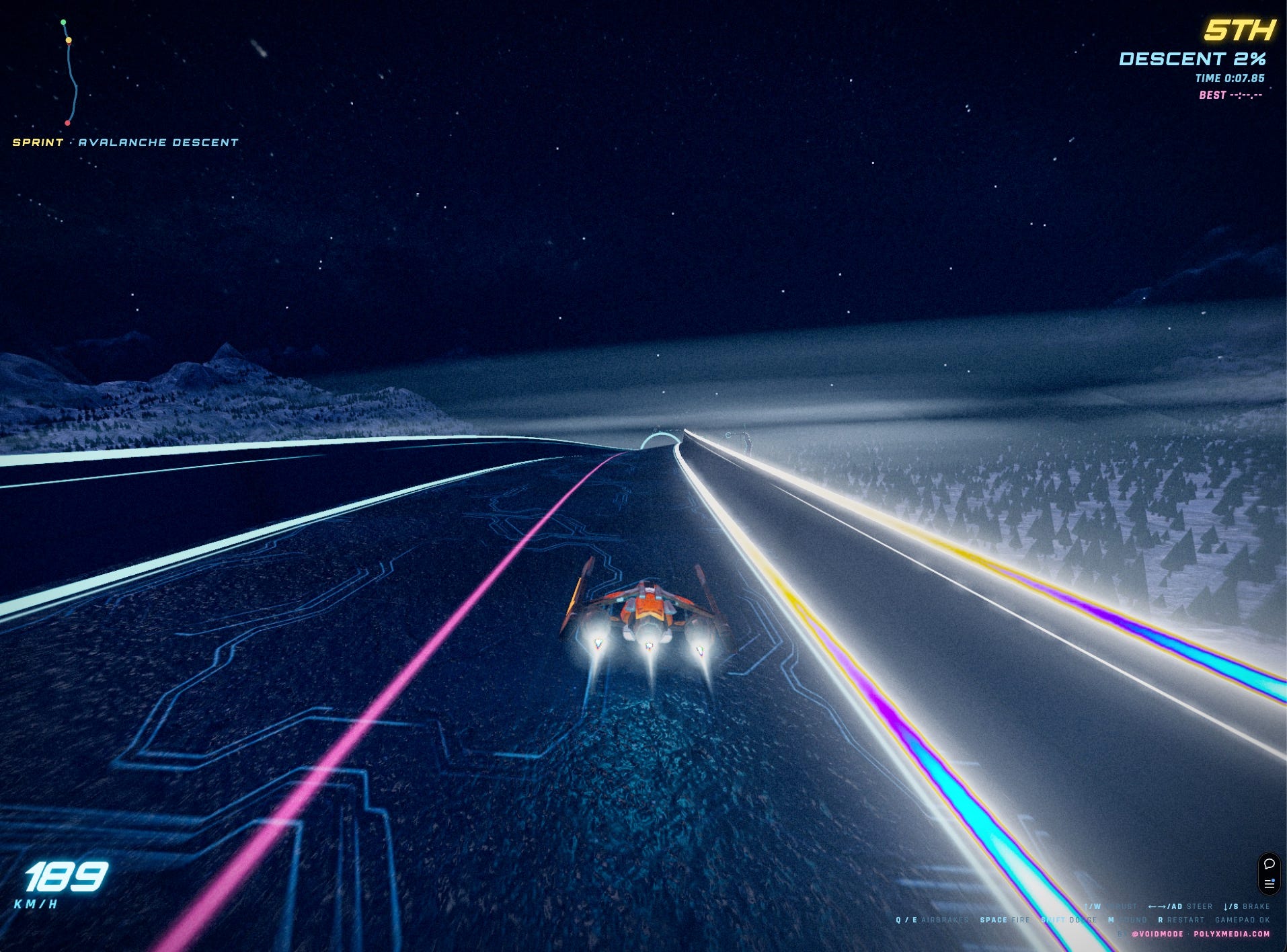
Velocity GP is a WipEout-style anti-gravity racer that runs in a browser tab. It needs no install, just three.js and WebGL shoving pixels around. It’s about ten thousand lines of code across a handful of files, sixty-odd assets, twenty-one commits, and it went from an empty repo to floating neon circuits with homing missiles, a rubberbanding AI grid and a night city skyline in five days. I wrote almost none of it by hand. I built it by playing it, screenshotting the bits that looked off, and telling Claude what was wrong in plain English.
That’s the actual method. There was no design doc and no ticket queue. I’d race a lap, something would bug me, and I’d say something like “the enemy ships are doing acrobatics, fix it” or “those particles are way too big, I preferred the speed lines.” Then it would go find the cause and fix it, I’d refresh, and we’d move to the next thing. Honestly it feels less like programming and more like art directing someone who happens to be a very fast graphics engineer.
The loop is the whole thing
Most of the interesting work happened in tight back-and-forth, not big features. I’d give a one-line complaint, it would dig through 5,886 lines of main.js, figure out which of forty-odd systems was responsible, change it, and check the thing still loaded without throwing. The feedback was almost always visual and vibe-based, “this looks fake,” “too bright for an in-atmosphere shot,” “that’s a road to nowhere,” and the job was to turn that into the actual cause.
That translation step is where it earns its keep. “The fog moves when I turn” sounds like a physics bug. It wasn’t. The fog banks were camera-facing sprites, billboards, the kind that always rotate to face you, so every time the camera yawed they swung around with it and the whole valley looked like it was turning with the car. They were also cutting hard straight lines into the slope where the flat sprite intersected the terrain. The fix was to stop using billboards and lay the fog down as flat world-anchored sheets that drift by scrolling their texture instead of moving. You’d never write that complaint as “please replace the sprite-based fog with depth-sorted world-space planes.” You just say it looks wrong and let the thing work backward to the cause.
Same story with the sky. I was racing down a long mountain descent and the stars and the Milky Way were sliding past as I moved, which looks deeply weird because the sky is meant to be infinitely far away. Turned out the skydome was a fixed sphere parked at the world origin, and the camera was traveling eight thousand units down the hill, so it drifted off-center the whole way down. The fix is basically one line, the dome just rides along with the camera every frame so it’s always centered on you. Tiny change, completely different feel.
A sea of trees that doesn’t kill the framerate
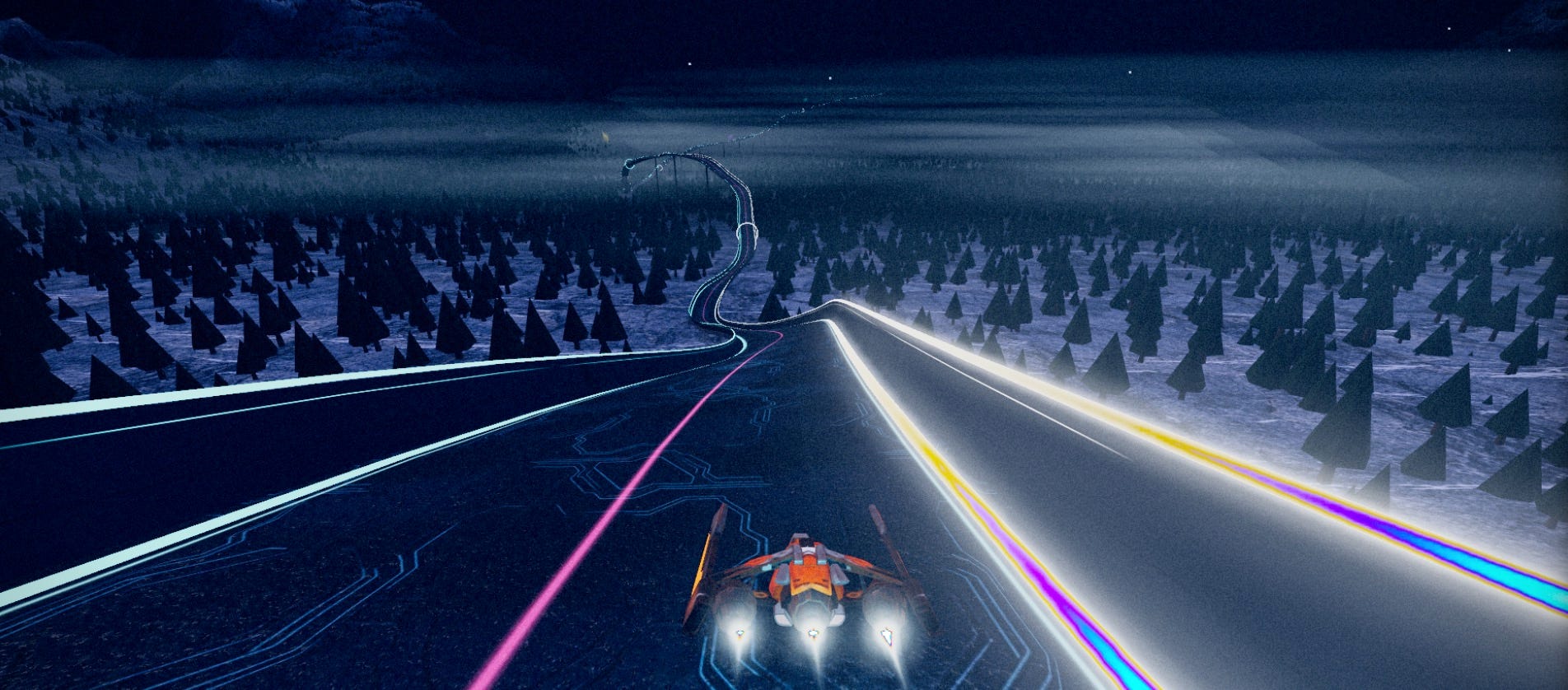
I wanted the downhill track to run through proper forest, a literal sea of pines, not the sad scattering of a dozen trees you usually get. The naive version of this tanks the framerate instantly, because thirty thousand individual tree meshes is thirty thousand draw calls and the GPU just gives up.
The trick is InstancedMesh, which draws the same geometry thousands of times in one call. The catch is that an instanced mesh has no per-instance frustum culling, so even the trees behind you and off-screen still get processed every frame. So we chunk the forest into bands along the track, about nine hundred units each, and every band is its own instanced mesh with its own bounding sphere. Now when a band sits behind the camera or off to the side, the whole band gets culled in one go and never touches the pipeline. You end up submitting a thin slice of the forest at any moment even tho the full thing is dense as hell.
Then I made it worse for myself by wanting the track to dip below the canopy at a few points so you’d actually dive in among the trees, which meant carving a clear gully along the deck so the trunks line the track instead of clipping up through it, plus a noise field to clump the trees into groves and clearings so it reads like real scatter and not a carpet. Indeed it took a few rounds to land the density. The first pass was a performance pig, so I cut the count back, swapped a fancy textured pine model for cheaper procedural cones, and darkened them because it’s a night map and they were glowing like Christmas.
The stuff I built and then threw in the bin
This is the part people skip when they talk about building with AI, so let me be clear about it. A lot of what got built got deleted.
There were floating crystals, I added them, gave them a glow, made them smaller with variations, then binned them entirely. There was a loading screen built around a nice piece of key art, looked great on my screen, looked broken on others, gone. I had it build a proper two-tier tree system where close trees use a detailed model and far ones use cheap cones, it worked, and then the framerate told on it and I ripped the detailed trees back out. Right at the end I had it model the boost pads as actual 3D objects sitting on the deck, looked at them, decided they were dull, and told it to undo the whole thing.
None of that feels wasted the way it would if I’d hand-coded three days into each one. When the cost of building a thing drops to a few minutes, you can afford to actually see it in context and judge it instead of arguing about it in the abstract. Most of my job became taste, looking at the thing and deciding if it was good, not typing.
The speed lines are my favorite example of the loop. I wanted a sense of air rushing at you as you pick up speed. First version was thin streak lines, which I’d asked it to keep subtle because the harsh anime-speed-line look is naff. They came out flat, lying on the road instead of flying at me. So it switched to glowing 3D points that grow as they approach, which fixed the depth problem and instantly created a new one, they ballooned into giant blobs in your face at top speed because that’s what size-attenuated points do up close. I said too big, bring back the lines, and it went back to thin streaks, this time depth-tested so the deck occludes them properly. Three swings to land one effect, each one maybe two minutes, all driven by me just reacting to what I saw.
Generating the assets instead of hunting for them
Half the assets are AI-generated. I’d describe a thing, get an image, then turn the image straight into a 3D model with Higgsfield, a radio telescope, a statue, the boost and item pads, ships. The generated models come out heavy though. One of the installation models landed at 247 megabytes, which would simply never load in a browser, so everything runs through Draco compression with gltf-transform. That installation went from 247MB down to 15. The pad models went from about a megabyte each down to 130 kilobytes. That compression step is the difference between a game and a tab that spins forever.
The engine also sniffs your machine on load, it reads the GPU string through the WebGL debug renderer extension and picks a quality tier, so a strong desktop gets 8x antialiasing and a phone gets a stripped-back version that still holds frame. You can override it in a settings menu, but most people never see it, the thing just makes a sensible call.
What this actually is
None of the individual techniques here are exotic. Instanced meshes, billboards, Catmull-Rom splines for the track, depth testing, GPU sniffing, this is all standard real-time graphics and any competent three.js dev knows every piece. The unusual part is the speed and the shape of the work. I went from “I want a downhill sprint track in a mountain range” to a real point-to-point course, which meant converting an engine that only understood closed-loop laps into one that handles an open curve with terrain that follows the track profile down the hill, and that’s genuinely fiddly math, and I did it by describing the goal and reacting to the result.
The skill that mattered wasn’t knowing the WebGL API. It was knowing what good looks like and being able to say exactly what was wrong with what I was looking at. Velocity GP is twenty-one commits of me having opinions and something fast enough to act on every one of them before I lost interest. That’s a different way to build, and after five days of it I’m not sure I want to go back to typing.
And one big skill is understanding the limits of what can be done with AI and knowing how to balance what it can do with something that looks presentable and is usable.
If you have any questions or content requests let me know.
And if you want to try VelocityGP try it out here https://velocity-gp.com
Thanks for reading.
André